Generative art,
designed for AI.
Create, explore, and share algorithmic sketches powered by five rendering engines. A platform where code meets canvas.
Your canvas. Your algorithms.
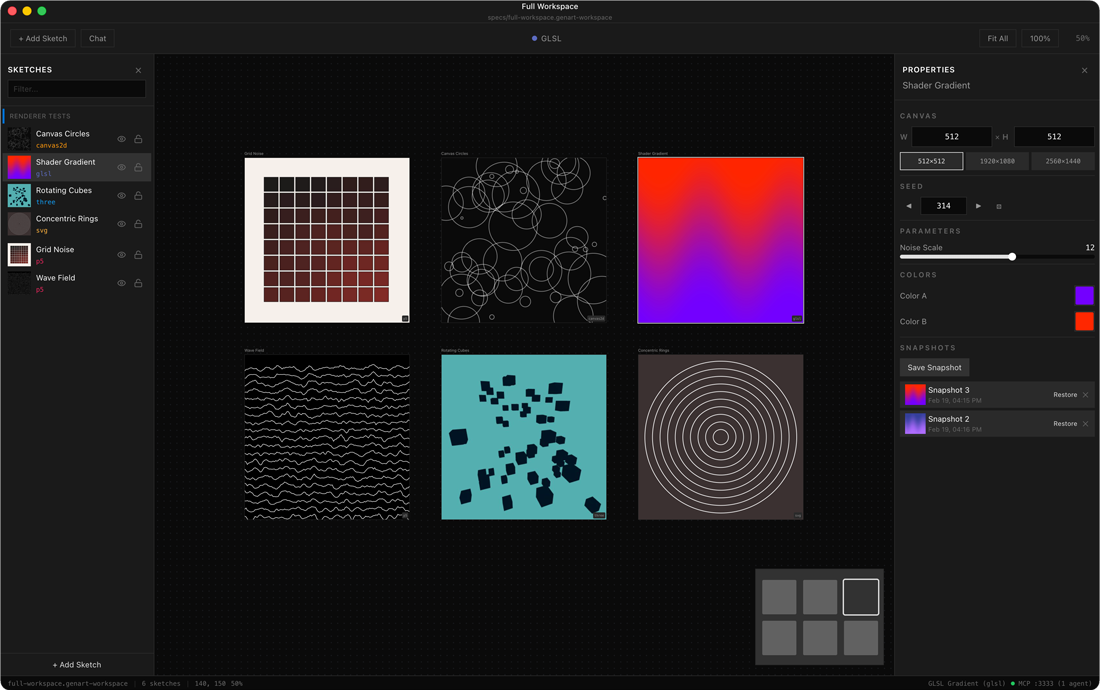
An infinite workspace where every sketch is a live, interactive artboard. Tweak parameters, swap palettes, and watch your art evolve in real time.
Works with your AI agent
 Claude Code
 Codex CLI
 Gemini CLI
 OpenCode
 Kiro
KiroAny MCP-compatible agent. One command to connect.
AI-First Authoring
The .genart JSON format is designed for MCP tool consumption — structured parameters, renderer specs, and algorithms in a single portable file.
Infinite Canvas
Arrange multiple sketch artboards on a shared workspace. Pan, zoom, and select — only the active artboard runs live.
Parametric Control
Every sketch exposes typed parameters, color palettes, and themes. Explore variations without touching code.
Write once, render anywhere. Each sketch specifies its renderer — the platform handles the rest.
p5.js
Creative coding with Processing's friendly API
Three.js
3D scenes with WebGL rendering
GLSL
GPU-accelerated fragment shaders
Canvas 2D
Direct 2D drawing with the Canvas API
SVG
Resolution-independent vector graphics
One platform, three ways in. Use whichever fits your workflow.
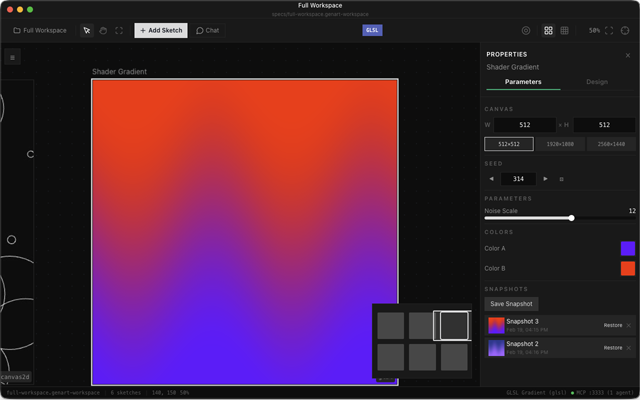
Desktop App
A dedicated creative environment with the full infinite canvas. Drag, zoom, and arrange your artboards — all natively on your machine.
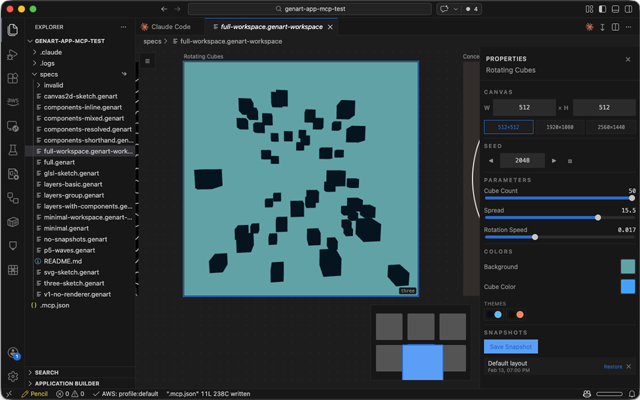
VSCode Extension
Design sketches without leaving your editor. The canvas lives in a tab, right alongside your code.
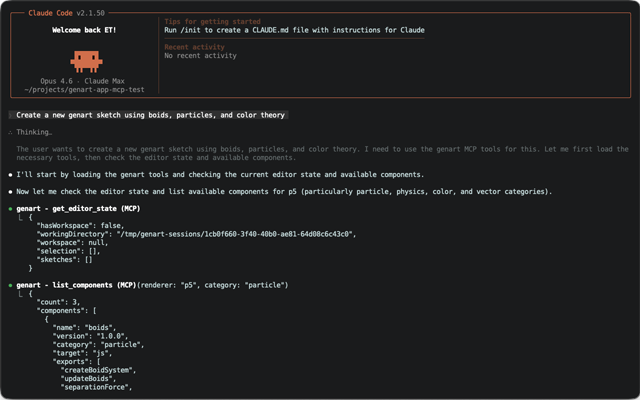
Claude / Codex / MCP
AI agents create and edit sketches through MCP tools. The .genart format was built for machine authorship.
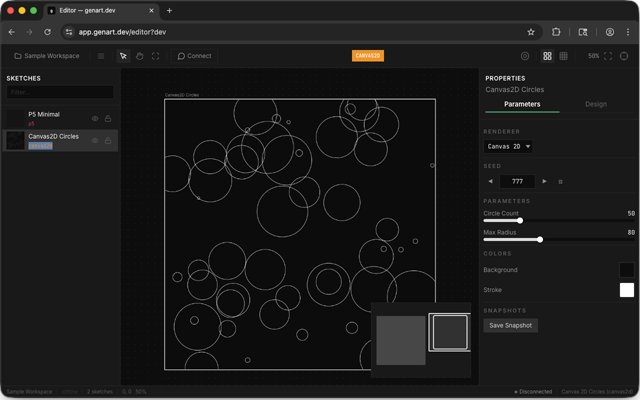
App / Editor
Open the web editor and start creating — no install required. Arrange artboards on an infinite canvas, tweak parameters in real time, and export your favorites.
The .genart format is designed for AI. Describe what you want, and the agent handles the rest.
Describe
Tell the AI what you want — a particle system, a fractal, a shader gradient. Plain language or precise specs.
Generate
The MCP agent writes a complete .genart sketch — algorithm, parameters, renderer, and metadata in one file.
Explore
Open it on the canvas. Tweak parameters, try different seeds, save snapshots of your favorites.
No lock-in. No black box. Your sketches are readable JSON that lives in your repo.
Version control friendly
Branch, merge, and diff your art just like code.
AI-readable by design
Structured for MCP tool consumption. Every parameter, color, and algorithm in one portable file.
Fully portable
Move sketches between desktop, VSCode, and the web. The format is the same everywhere.
{
  "name": "Spiral Galaxy",
  "renderer": "p5",
  "params": {
    "arms": { "type": "int", "default": 5 },
    "spin": { "type": "float", "default": 0.8 },
    "palette": { "type": "palette", "default": [...] }
  },
  "algorithm": "function setup() { ... }"
}
Ready to create?
Browse the community gallery for inspiration, or open the editor and start from scratch.